



How to View Instagram Stories Anonymously?

Table of Content
How Instagram Shows Who Viewed a Story
When a story is posted on Instagram, the account owner has the ability to see a list of viewers. This is accessible by navigating to the story and swiping up, which opens the “Stories” section. Here, a list of all viewers is displayed, showing who has interacted with the content.
According to Instagram’s official guidelines, only the account owner can access this list of viewers. The list is organized based on several factors, including the frequency of interactions between the account owner and the viewers. This means that those who interact more frequently with the account, whether through likes, comments, or direct messages, are more likely to appear at the top of the list.
How Viewer Ranking Is Determined
The order in which viewers are listed is not random. Instagram uses an algorithm that prioritizes viewers based on their engagement levels with the account owner. Frequent interactions such as liking posts, leaving comments, or sending direct messages can push a viewer’s name higher on the list. Even in cases where the account owner does not follow someone back, consistent interaction can still place that person near the top of the viewer list.
Instagram has also introduced a feature allowing users to send private “likes” on stories. If someone chooses to like a story, a small heart icon appears next to their name in the viewer list, adding another layer of interaction visibility.
Visibility of Story Views to Others
When someone views an Instagram Story, their username is automatically added to the list of viewers, which is visible only to the story’s creator. This feature ensures that account owners can see who has viewed their stories, but the viewers themselves do not have access to information about how many times their story was viewed by any particular individual.
Instagram has been rolling out updates to increase transparency, such as notifying users when someone views their Story. However, it is important to note that while Instagram tracks views, it does not notify the account owner of the number of times someone has viewed a particular story — only that the story has been viewed.
Controlling Who Can View Instagram Stories
For those concerned about privacy, Instagram offers several settings to control who can view their stories. In the app’s settings, there are options to hide stories from specific users or to share them exclusively with a curated “Close Friends” list.
To adjust these settings:
- Open the Instagram app and access the profile page.
- Tap the menu icon in the top right corner and select “Settings.”
- Navigate to “Privacy” and select “Story.”
- Here, the account owner can choose to hide stories from specific users or create a Close Friends list, ensuring that only selected individuals can view the stories.
This feature is particularly useful for those who want to share content with a limited audience without making the entire profile private.
How to See If Close Friends Viewed a Story
Instagram’s “Close Friends” feature allows users to share stories with a select group. If a story is shared with this list, it’s possible to see if specific close friends have viewed it by checking the viewers list.
To use the Close Friends feature:
- Access the profile and tap the menu icon.
- Select “Close Friends” and add desired followers to the list.
Once the list is created, stories can be shared exclusively with those on the Close Friends list, providing a controlled sharing environment.
How to View Instagram Stories Anonymously?
If you want to view someone’s Instagram story anonymously, you can use Dolphin Radar.
Dolphin Radar offers a powerful Instagram Anonymous Story Viewer that allows you to view Instagram stories and highlights completely anonymously and for free. Whether you’re curious about what someone has posted or want to explore Instagram without restrictions, our tool lets you do it with ease.
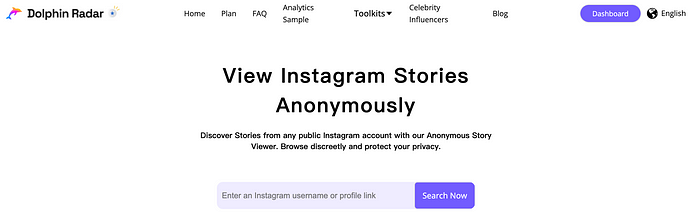
Key Features:
· View Instagram Stories Anonymously for Free: Check out Instagram stories and highlights without anyone knowing. Your privacy is always protected.
· Download Instagram Stories and Highlights: Save and download stories and highlights directly to your device for future viewing.
· Bypass the 24-Hour Limit: Instagram stories usually disappear after 24 hours, but with Dolphin Radar, you can add the accounts you want to track and keep their stories for as long as you want.
· View Instagram Stories Without an Account: Access Instagram stories effortlessly without logging in or even having an Instagram account.
· No App Download Required: Use any device to view Instagram stories without the need for a third-party app. Enjoy seamless access right from your browser.
This is an example of Instagram Story Viewer results using David Beckham.

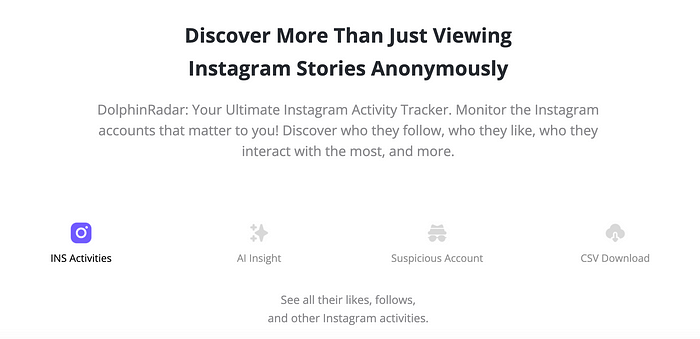
Why Just View Instagram Stories Anonymously? Track Their Entire Instagram Activity Too!
· Stay Ahead of Trends: Stories are just part of the activity. Track likes, follows, and hashtags to stay ahead and know what’s happening before everyone else.
· See Beyond Someone’s Instagram Stories: Instagram stories disappear after 24 hours. Dolphin Radar lets you track all activity, such as likes, follows, and more, to get a complete view of someone’s interests and behavior.
· Find Out More Than What’s Shown Publicly: Using an Instagram story viewer only gives you a glimpse of someone’s activity. With our Instagram activity tracker, you can get deeper insights and stay informed beyond the surface.
Conclusion: Managing Instagram Story Views
Instagram provides account holders with tools to see who views their stories, while also offering various privacy controls to manage who can view them. By understanding how the platform organizes viewer lists and utilizing the privacy settings, users can maintain better control over their content and engagement.
The ability to see who has viewed a story offers valuable insights into audience engagement, but it also emphasizes the importance of privacy management on social media. With the right settings, it’s possible to strike a balance between sharing content and protecting personal privacy.
Read More
