



How To See Who Commented On An Instagram Post?
Table of Content
I didn’t think I’d ever be the kind of person to care who commented on someone’s Instagram post. But then I caught myself scrolling through dozens of posts, trying to spot a name, a comment, a reaction — and thought, there’s got to be a better way. That’s how I ended up using Dolphin Radar’s Instagram Comment Viewer, and honestly, it’s kind of addictive in the best way.
With just a public IG username or post link, you can pull up a clean feed of who’s commented on someone’s posts. No weird plugins, no endless tapping around. Just clarity.
Why Even Bother Checking Instagram Comments?
If you’ve ever tried to get a read on how a post is being received — not just the surface-level likes, but the actual tone and interaction — you already know where the real value is: the comments.
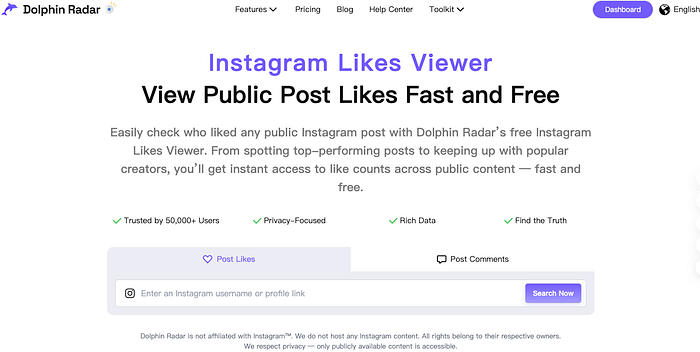
People are more honest in the comments. That’s where support shows up, or criticism, or sometimes full-blown fan culture. Maybe you’re checking on an influencer, a brand, or an old friend (no judgment). Either way, Instagram doesn’t make it easy.
Unless you use a tool. That’s where something like an Instagram comment viewer makes life a lot simpler.
What It’s Like Using Dolphin Radar’s Comment Viewer
I tested it out with a quick search for @kyliejenner — just typed in her username, hit search, and within seconds I could see all the comments people had left on her posts. It was all there: names, timestamps, and what people were saying. Super straightforward, and surprisingly kind of fascinating to scroll through.
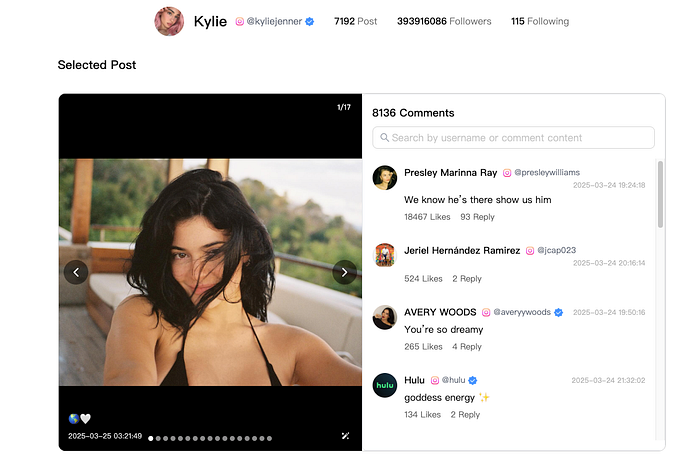
Here’s the process, boiled down:
1. Head to Dolphin Radar
2. Paste in the username or post link you’re curious about
3. Hit search
That’s it. It’ll pull up a full list of public comments on that person’s posts — neatly organized, easy to browse.
No need to sign in or dig through each post one by one. If you’re the kind of person who likes saving time and getting to the good stuff faster, it just makes sense.
What You’ll See (And What You Won’t)
After trying it out, I figured it’s worth laying out expectations clearly:
You will see:
· The full list of comments left on someone’s posts — clean and in one place.
· Each commenter’s name, what they said, and when they said it.
· The option to either look at a single post or scan across multiple posts by the same user.
You won’t see (yet):
· Replies to comments — it only surfaces the main layer of public comments right now. If you’re hoping for full threads, it’s not there yet. But the team behind it seems pretty open to suggestions, so who knows?
· Comments on private or restricted profiles — only public accounts are fair game, which makes sense.
To be honest, the simplicity is part of the appeal. It doesn’t try to do too much — and that’s exactly why it works so well.
When This Tool Actually Comes In Handy
Here’s where I’ve found it most useful (and heard others say the same):
· Keeping an eye on brand campaigns — sometimes you want to know what real customers are saying, not just what a brand reposts. Comments give you the truth.
· Checking in on influencers — before you trust someone’s follower count, check what their audience is actually saying to them.
· Sussing out reputation — a quick look at someone’s recent posts and comments can tell you a lot about how people feel about them.
· Satisfying plain curiosity — we all have that one person we check on occasionally. This just makes it faster.
Final Thoughts
For something so simple, Dolphin Radar’s Instagram Comment Viewer ends up being surprisingly useful. Whether you’re managing a brand, scouting for partnerships, or just browsing with a bit more intent, it’s a tool worth bookmarking.
Try it once and you’ll probably end up wondering why you didn’t do this sooner.
Read More
