



How to Easily View and Export Instagram Comments to Understand Your Audience Better
Table of Content
Some say it’s better not to read the comments — that the comment section can be overwhelming or even discouraging.
But when approached wisely, your Instagram comments are one of the richest sources of audience insight. They reveal how people truly react to your content, what they care about, and what they wish you’d post next.
Why You Should View and Export Instagram Comments
Your Instagram comment section is where your audience speaks their truth — their reactions, frustrations, compliments, and even product suggestions.
If you learn to view and export Instagram comments efficiently, you gain access to one of the most powerful forms of audience feedback data.
1. Understand what your audience truly thinks
Comments go beyond likes and shares. They reveal why your audience engaged — what they loved, what confused them, or what motivated them to respond.
2. Enable analysis and reporting
When you export Instagram comments into a spreadsheet, you can filter, categorize, and visualize feedback — turning raw opinions into measurable trends.
3. Monitor brand reputation
By regularly viewing and exporting comments, you can spot negative sentiment early and respond before issues escalate, strengthening your brand trust.
The Challenges of Viewing and Exporting Instagram Comments Natively
Let’s be honest — Instagram isn’t built for comment management.
You can’t easily view comments online in bulk, and there’s no native export feature.
- Limited browsing experience: Comments are hidden under endless “View more” buttons and nested replies.
- No export option: Instagram doesn’t offer a way to download comments directly.
- Manual effort: Copy-pasting each comment is painfully slow and prone to error.
As a result, it’s difficult to fully leverage the insights buried in your audience’s discussions.
How to Easily View and Export Instagram Comments (Step-by-Step)
1. Use a Third-Party Instagram Comment Viewer & Export Tool
If you want to view and export Instagram comments efficiently, a dedicated third-party tool is the most reliable solution.
Tools like Dolphin Radar’s Instagram Comment Viewer make it easy to view Instagram comments anonymously in a clean, structured interface.
You can paste any public post URL and instantly read all comments — no login required, no alerts sent to the user.
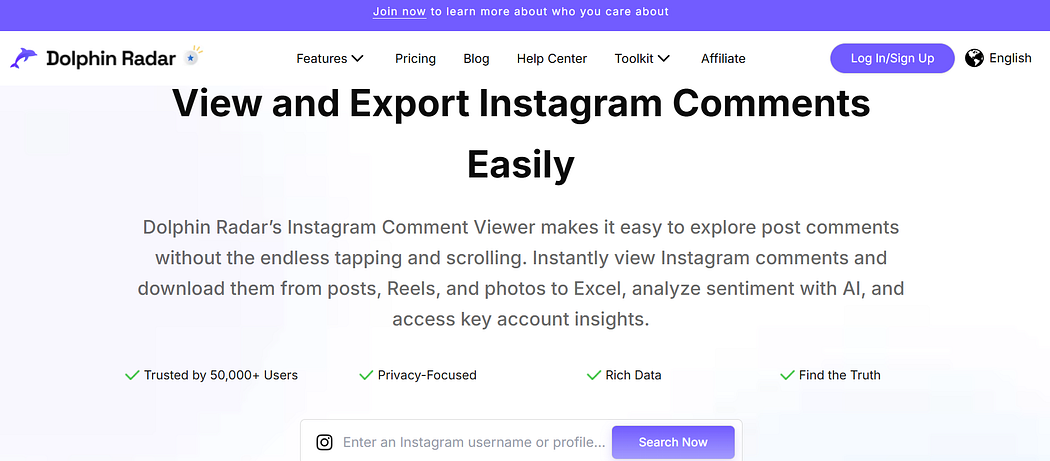
This makes Dolphin Radar a reliable anonymous Instagram comment viewer, perfect for marketers, creators, or researchers who want to explore audience feedback safely and privately.
In addition to viewing, Dolphin Radar also serves as a powerful Instagram comment export tool.
Once comments are loaded, you can export Instagram comments directly to CSV or Excel, making it easy to analyze audience sentiment, identify recurring questions, or measure engagement trends over time.
With this reliable comment export feature, you turn unstructured discussions into clear, actionable data that supports smarter content and community strategies.
Step-by-step guide:

With this method, you can quickly turn scattered Instagram comments into actionable insights, save hours of manual work, and build a complete, organized dataset.
2. Manual Comment Extraction via Browser
If you only need comments from a single public post, you can also extract them manually in your browser.
This method is free and doesn’t require any tools — though it’s best suited for smaller posts.
Step-by-step guide:
- Open the post in a desktop browser and load all comments by clicking “View more comments” until you reach the desired number.
- Open the developer console (F12 or right-click → Inspect → Console).
- Run a short script to extract the visible comments into a text or CSV format.
- Copy and save the extracted comments for review or basic analysis.
While this is a free Instagram comment export method, it’s time-consuming and only works for a few posts. For larger datasets, using an Instagram comment exporter is far more practical.
Conclusion
Your Instagram comment section isn’t just chatter — it’s a live database of customer thoughts, emotions, and intentions.
When you view and export Instagram comments, you unlock a deeper understanding of what your audience values and how they think.
👉🏼Start using Dolphin Radar’s Instagram Comment Viewer today to centralize your exported comment data, uncover real audience insights, and turn everyday engagement into meaningful growth.
FAQ
How can I view Instagram comments anonymously?
The most reliable way to view Instagram comments without logging in or alerting the user is to use a trusted third-party comment viewer like Dolphin Radar.
You simply paste the Instagram post URL, and the tool instantly loads all visible comments in a clean, organized layout — no account connection or API access needed.
This method ensures anonymous, secure access to audience insights while protecting your privacy.
What’s the best way to export Instagram comments?
Exporting Instagram comments for analysis or reporting is easiest with a dedicated Instagram comment export tool.
Platforms like Dolphin Radar allow users to export all post comments directly to CSV or Excel, without coding or using the Instagram API.
This enables quick filtering, sentiment analysis, and data visualization — turning your comments into actionable business insights.
Can third-party tools view comments or profiles from private Instagram accounts?
No — third-party tools cannot access or display private Instagram content due to Instagram’s strict privacy and API policies (as of 2025).
Even reliable tools like Dolphin Radar only allow you to view and export comments from public posts.
If a user’s profile or post is private, no legitimate service can show that content without explicit permission.
This ensures user data protection and platform compliance.
Can I view Instagram comments without an account?
Yes. Tools such as Dolphin Radar’s Instagram Comment Viewer allow you to see Instagram comments online without an account.
You don’t need to log in or connect to your personal Instagram — just enter the post link, and the system fetches all public comments.
This feature is especially useful for competitor research, influencer analysis, or content benchmarking.
How do I find Instagram comments by username?
You can find comments by username using the search and filter functions in Dolphin Radar’s interface.
After loading the post, simply type the username or keyword — the tool instantly highlights all matching comments.
This makes it easy to track specific users, identify influencers, or monitor loyal customers’ engagement.
Is using an Instagram comment exporter safe?
Yes, as long as you choose a reputable and compliant platform. Dolphin Radar never requires your Instagram password for public data access, and it follows Instagram’s data usage guidelines.
Always avoid unverified tools that ask for login credentials — reliable exporters operate securely and transparently.
If you’re also wondering whether using third-party Instagram tools is fully legal and safe, we’ve covered that in detail here:
👉🏼 Are Third-Party Instagram Tools Safe to Use? Here’s Why You Can Trust Them(2025 Update)
Read More
