



How to Archive Highlights On Instagram?

Table of Content
In this guide, we’ll show you how to archive your Instagram highlights and keep your profile clean, organized, and accessible.
Setting Up an Instagram Archive
First, you’ll need to enable the archive feature on Instagram to start saving your stories for later use. Follow these steps to get started:
- Open the Instagram app and head to your profile by tapping the profile icon at the bottom right.
- Tap the three-line menu at the top-right corner to open your profile settings.
- Select Archive from the options.
- If this is your first time using the archive feature, tap Create Archive to set it up.
Once your archive is created, Instagram will automatically save your stories after they expire from your public profile. You can access, view, and organize these archived stories at any time by tapping the clock icon on your profile.
How to Archive Instagram Highlights
If you have a growing list of highlights that you’d like to manage better, you can archive them with just a few simple steps:
- Open the Instagram app and navigate to your profile.
- Scroll through your profile or tap the highlight covers to find the one you want to archive.
- Tap and hold the highlight cover until a menu appears.
- Select Archive from the menu.
Once archived, the highlight will be removed from your public profile, but it won’t be deleted. You can always access it in your archive later and even re-share it if needed.
Organizing Your Archived Highlights
After archiving your highlights, it’s a good idea to keep them organized for future reference. Here’s how to manage your archived highlights:
- Head to your profile and tap the clock icon to access the archive.
- Scroll through your archived highlights or use the search bar to locate a specific one.
- Tap the highlight cover to open it and edit its content — add or remove photos and videos, change the cover image, or update the highlight’s title.
- If you no longer need the highlight, tap and hold the cover, then choose Delete to permanently remove it from your archive.
- Want to share an archived highlight? Simply open it, tap the Share button, and choose whether to post it on your Instagram Story, send it via direct message, or copy the link.
How to Archive and Download Instagram Highlights with Dolphin Radar
Before we jump to the conclusion, you might be wondering how to download and save your highlights. That’s where tools like Instagram Anonymous Story Viewer come into play. Not only can you view Instagram Stories and Highlights anonymously, but you can also download them for free and save them to your device, making it perfect for preserving special memories or tracking public profiles discreetly.
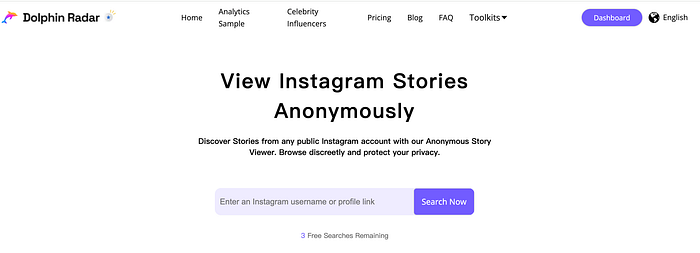
Key Features:
· View Instagram Stories Anonymously for Free: Check out Instagram stories and highlights without anyone knowing. Your privacy is always protected.
· Download Instagram Stories and Highlights: Save and download stories and highlights directly to your device for future viewing.
· Bypass the 24-Hour Limit: Instagram stories usually disappear after 24 hours, but with Dolphin Radar, you can add the accounts you want to track and keep their stories for as long as you want.
· View Instagram Stories Without an Account: Access Instagram stories effortlessly without logging in or even having an Instagram account.
· No App Download Required: Use any device to view Instagram stories without the need for a third-party app. Enjoy seamless access right from your browser.
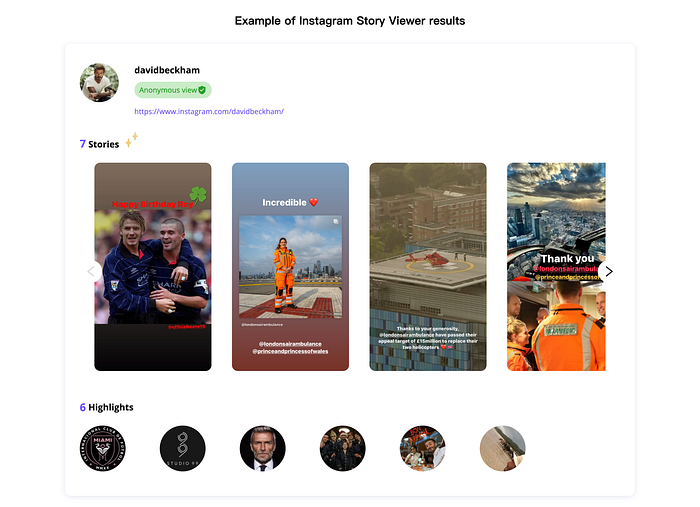
This is an example of Instagram Story Viewer results using David Beckham.
Conclusion
Archiving your Instagram highlights is a great way to keep your profile organized while preserving your favorite moments. The process is quick and straightforward, allowing you to keep your profile neat and make it easy for others to navigate through your content.
Start archiving your Instagram highlights today to enjoy a cleaner, more organized profile, while keeping all your memories within reach!
Read More
